I try to create sympathy for my characters, then turn the monsters loose.
~ Stephen King
Lately I’ve been…
Reading
Text books and journal articles for the PhD, including:
- The Sappho History, by the marvellous Margaret Reynolds – crisp, smart writing
- France Observed in the Seventeenth Century by British Travellers, by John Lough – a hoot
- Still browsing through the wonderful One Thousand Buildings of Paris, with photos by Jorg Brockmann and James Driscoll, and pithy text by Kaathy Borrus
- Rabelais and His World, the classic text (I know that’s an over-used description, but true in this case) by Mikhael Bakhtin – filled with vivid flashes and genuinely brilliant insights into the world of fairgrounds, festivals, freaks and folklore around early modern Paris – on archetypes and ancient lore that trickles down to us today.
- The Secret Life of Aphra Behn, by Janet Todd. Still remember the moment, in 1985, when I first visited London and wandered around Westminster Abbey – looked down, and there, below my feet, was Aphra’s grave. Getting that weird chill thing even now. Or maybe it’s a flush. Anyway – there’s a good subject for a cracking movie bio. Spy, playwright, independent woman, deviant, subversive – and yet not. Fascinating.
- George Sand: A Woman’s Life Writ Large, by Belinda Jack. Ditto – except for the grave thing.
Escapist reading is The Sealed Letter, by Emma Donoghue, about which I’m still making up my mind. I’m not sure why it’s in the present tense, and that’s a question I’m also asking myself about Tragédie.
Waiting
First it seemed like a moment until Act of Faith comes out. Now it seems like years. It’s actually somewhere in between – two months or so. So the anxious, exhilarated, dumb-struck, sleepless, proud, despairing thing is starting a bit ahead of schedule.
Don’t tell anyone, but I feel like this one might go OK.
Watching
Deadwood. It’s like Macbeth on crack.
Muttering
French vocab. It will not stick in my brain. I go to class and everything looks fine on paper, and then I get asked a question and there’s nothing there at all. A black hole where a word or phrase ought to be. It was there yesterday. Where do they go?
And then there’s …
King Tutankhamun exhibition opened at the Melbourne Museum last night. Wonderful, wonderful things. Best of them: his dagger, with goldwork so fine you know the Egyptians had to have some kind of magnifying lens. And a stunning realist mask of Nefertiti. And a tiny cosmetic case shaped like a duck. And – well, everything, really.
Happy hours of research planning the trip to Paris and Provence in October.
Autumn in Melbourne: reddening leaves and rhubarb and stirring great vats of crabapple jelly and green tomato relish and crisp mornings with balmy days. Bliss.

Sleepless
The process of writing has something infinite about it. Even though it is interrupted each night, it is one single notation.
~ Elias Canetti
Scrivening
I’ve been posting recently about tools for writers, but the best news is new today: there’s now a version of Scrivener for those of us in the overwhelming majority with Windows PCs (not Macs).
Yes, we sad little Windows people may be retro chic rather than authentically latte-geek, but we can now get our hands on one of the most popular and most powerful tools for writers, formerly purely the province of Mac users.
So what’s Scrivener?
It’s a combination word processor and organising tool. It allows you to bring together and reshape the many fragments that make up most of our working manuscripts, so that you can easily keep track of what’s where and who is in which scene. Depends how you work, of course. Some people start at the beginning and work straight through. Scrivener or other similar packages may help you out a little, but they are a godsend for people who write snatches here and there, and have to keep the structure altogether in their heads while scrolling back and forth through a long Word document. It includes an outlining function as well as index cards for characters or places, and integrates with EndNote, for we fools who are doing academic writing.
There’s been a free beta version out for a while, which I tested and which converted me pretty quickly to the Scrivener way. It has basic templates for short and long fiction, academic papers and scripts and, importantly, can synch with mobile apps like Index card, import documents you’ve already begun in Word (or whatever), and export to other programs such as Final Draft or Word.
The latest beta version is due out 25 March 2011 (that’s the date here already, so I guess tomorrow in the US). [NB This was amended – I misunderstood the timeline when I first posted]
When the production version goes on sale, it will cost about $40.
Bargain.

Book crafting
HarperCollins is finalising the internal design of Act of Faith and come July, even if I do say so myself, it’s going to look gorgeous.
It has to, really, because it’s a book about books; about printing and publishing and defending beautiful crafted books. Mind you, plenty of publishers wouldn’t put the effort into it for a paperback.
But the designer, Jane Waterhouse, publisher, Lisa Berryman, and I spent hours last Friday choosing 16th century Venetian and Dutch printers’ devices such as colophons and frontispieces from the wondrous Sticht collection of the State Library of Victoria (which is also where I work a few days a week).
These will adorn the front matter and chapter openers. I just can’t tell you how appropriate it is, on so many levels, because you haven’t read the book yet.
But you will. Won’t you?

New favourite book
The Blazing World.
Great title, for a start. Sounds like some new literary fiction, doesn’t it?
But in fact it’s by Margaret Cavendish, Duchess of Newcastle (born 1623, died 1673): infamous Restoration poet, philosopher, playwright, orator and all-round hellhound.

Bless her little cotton toga.
Web resources on writing & publishing
There seems no end to the number of websites and blogs about books, writing and publishing. I guess that’s not surprising. People who write and publish words and ideas are going to do it on every platform possible. But some of it, to be frank, is either crap advice or hysterical or of the Disneyland school of thought (if you want to be a famous author, just follow your dreams and it will happen – even if you can’t write to save yourself – so all you need to worry about is what to wear on Oprah).
So in the middle of this overwhelming waterfall of information, where do you start?
Here are some sources I’ve either found useful or checked out to make sure they make some sort of sense. They are all free, but I strongly suggest that writers at any stage of their career invest in joining a local writers’ centre or society of authors.
Writing advice and ideas:
Some helpful websites of writing tips and advice from experienced authors.
Writers’ Hub (Birkbeck, UK): news, reviews, interviews
Best-selling author Sara Douglass (Australia) shares her experience of the business of writing and the editing/publishing process
Writing World (US): lots of short articles for people starting out and hoping to get published
Write101 (Australia): it’s been around a long time, and chock full of advice
Literary liaisons is aimed at romance writers, but also offers a great list of resources for writers of historical fiction
Allen and Unwin’s writing centre (Australia)
Authors’ associations and writers’ centres:
Trusted and authoritative sources of information and support.
Australian Society of Authors
NZ Society of Authors
UK Society of Authors
European Writers’ Congress
US Authors Guild
Australian Writers Centres
International PEN
Getting published:
There are a billion sites and blogs on this topic, of varying quality, so here are just a few.
ASA Guide (Australia – PDF)
VWC advice (Australia)
Society of Authors advice (NZ)
Help! I need a publisher (UK)

Dish it up
The best time for planning a book is while you’re doing the dishes.
~ Agatha Christie
So it’s a good thing my dishwasher’s blown up, right?
Research tools for writers
This week I’ve posted about tools for organising your work and a few free online tools to use for writing and promotions.
Today, I’ve been thinking about the research tools I use most, and thought I’d pass it on.
Books
Yes, I know. Bloody obvious.
Or is it?
I know only too well that many a time I’m too lazy to get up from my desk to check something in a book that is only a few metres away. Instead I spend half an hour faffing around online and shouting at unknown people on the other side of the world because they are hiding the truth from me.
So, I’m reminding myself as much as anyone else – turn away from the screen and look around you.
I have thousands of books and somehow I can pretty much remember where to find things I need in them. That helps. (Of course, I can’t remember what I did yesterday, or to turn the PVR on to record my favourite show, but I can remember that the quote I needed from Women in Shakespeare is on a left hand page, second paragraph, in the third chapter or so). When I need to look something up, I have a picture of it in my head. I’m sure I’m not alone in that. But it’s much easier to use that spatial/visual skill with objects on shelves than with bookmarks in a browser. I just have to remember to remember.
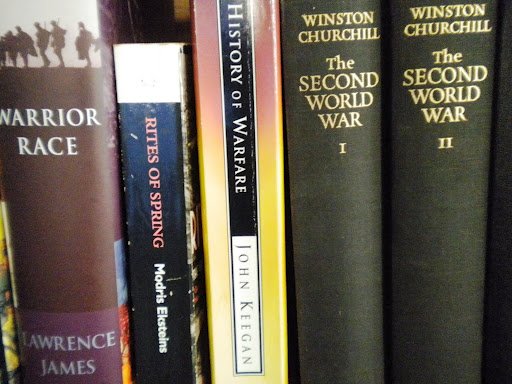
Everyone’s needs are different, but I will say that I had always been obsessed with owning an old edition of Encyclopaedia Britannica and when I finally bought one (they can be cheap as chips on eBay) it made me very happy – and has done so many times since.
Libraries
Again, bloody obvious, but libraries do amazing things nowadays and some people don’t realise it. They are also free, with a few exceptions.
I’m a member of several, and that’s very handy because between them they are bound to have something useful even on the most obscure topics. Almost every library now has its catalogue online so you can find out whether they have something you’re after, and you can usually order it, reserve it or even ask for it to be digitised.
If you’re in Australia, you can also use Trove to search for items in a range of libraries at once – elsewhere, try WorldCat.
I’m a member of:
The State Library of Victoria (where I work, and which has magnificent research and heritage collections and thousands of online databases and journal – see below)
Melbourne City Library (terrific lending library, very strong on multimedia and provides e-books and multimedia to download online)
Yarra Plenty Regional Library (my local – not so great for research but good YA section and contemporary fiction)
La Trobe University Library (my university – again, great collection of licensed databases and really quite a good non-fiction collection, including older titles). Students can also get a CAVAL membership which allows you to go browse the shelves and borrow from other institutions’ libraries.
Libraries will get books for you from elsewhere, provide online resources for you to download, chase up obscure titles and show you how to find things you never dreamed of.
Which brings me to …
Databases, online media and ejournals
I had no idea about these until I started working at a library but now I couldn’t live without them.
The story is that magazine and journals all over the world are now digitising back-catalogues and putting new editions online. These are all brought together in different bundles, or databases, by big publishers – some academic, some commercial.
Most libraries will pay subscriptions to the publishers so that members can look up citations, journal articles old and new, research papers, encyclopaedia entries, items in indexes and lists formerly kept on index cards in cabinets on the other side of town or the other side of the world.
They might include, for example, the whole Naxos classical music library, audio books from Jane Austen to JK Rowling, the Oxford dictionary, back copies of every journal from Lancet to Studies in the Novel through a source like JSTOR or databases of facts such as AustLit – a huge treasure chest of information about Australia literature and writers. You log in with your usual library ID.
Immeasurable riches await. I promise.
Google books and scholar
Yes, I Google as much as the next person, but much more valuable to me, in many ways, are Google Books and Google Scholar.
Google Books now comes with the option of buying ebooks for all e-readers except Kindle (hee, hee) but that’s beside the point here. What it does, after much negotiation and angst amongst the writing and publishing communities, is pay for digitisation of (largely) out of copyright titles, mostly from UK and US libraries including some of the biggest in the world.
The wonderful Internet Archive, Gutenberg Project and Open Library have been doing it for years, of course, and I use them a great deal too.
For me the value of these services is direct access to books from centuries past which are difficult to access, especially if there are no copies in local collections. It also means I can keep them and look them up whenever I need them – which I’m unlikely to be able to do with printed copies in rare book collections. So, for example, I can read anything from Histoire anecdotique de l’ancien théâtre en France to Sex and Suits.
In Google Books, there are also titles in which copyright is still in force, so you get a snippet or preview – but this is enough to tell you how many references there are to your subject and whether it’s worth buying or chasing the book elsewhere.
Google Scholar is a different matter altogether: it searches many of those online databases for you and returns not just links to journal articles, but also lets you see how many other authors have cited that article – often a good indication of the original’s impact on the field. You can export the citation details directly into EndNote. And if you are a member of a university library (or something like the State Library) it will recognise you and take you through to the licensed database. Free.
The other Google service I find invaluable is Streetview, and Google Maps with Photos turned on, because I’m often writing about places far away from my desk, and in Streetview I can even peep over the back fence of the convent in Avignon that my main character tried to burn down in 1688 or so.
Alerts
In Google and all sorts of search engines and databases, you can set up alerts, which email you to tell you when anything new has been published online on your topic. For example, for my PhD work, I have Google alerts set up for names of key historic figures, and topics such as “seventeenth century France”. They can be quite specific and you can adjust them if they are sending you nonsense. In the journal databases, you can be alerted when new editions of particular titles are posted online.
The information comes to you. That has to be a good thing.
Archives and digital collections
If you’re doing historical research, you’re probably already using online archives. How many records are available online, and how user-friendly they are, differs from place to place, and archives all over the world have their work cut out for them getting stuff available fast enough to meet demand.
Again, your library subscription might provide you with access to archival material like births, deaths and marriages from countries around the world (eg through Ancestry.com), but repositories such as the UK Archives and Archives de France are free, unbeatable sources of historical data.
I use British History Online an awful lot – here you can read the debates in Parliament during the Civil War or read the Venetian Ambassador’s private papers. Warning: once you go in there, you may never come out.
And don’t forget the many small local historical societies and archives where you can find friendly volunteers desperate to help you out.
Images
I use images to research what people wore, ate, sat on, and dreamed about in centuries past. So if I know a certain artist (eg Vermeer) has captured it perfectly, I’ll seek out the galleries and museums with strong collections of either relevant artworks or items such as clothing or weapons and check if they have digital versions.
I find search engines don’t pick up collection images so easily. Much better to go to one of the central organising services like Trove. Europeana is also a wonderful way into the thousands of collections in Europe – it includes documents from the archives and is always in English.
And don’t forget Flickr, especially for images of places and buildings.
Next episode: where and how to search online…

A writer’s tools
When I speak at schools, kids always want to know all the practical details: do you write on paper or computer, where do you sit, do you use a pen? Other writers, too, like to swap stories and tips. So here are mine.
I can write pretty much anywhere, so I often scribble in notebooks on the train or in cafes at lunchtime. I learned long ago not to mix up all my ideas in one book, so I have separate notebooks: one for each project, and sometimes different books for research notes and fiction drafts.
Part of the ritual of starting a new project is buying new stationery. I like lightweight notebooks – a while ago I fell in love with these fat black journals I’ve only ever seen at Auckland airport, and stocked up, but they are really too heavy for schlepping about every day. I have a small notebook for random notes and ideas. I have even smaller Moleskine notebooks for tucking into a pocket with a stubby pencil if I’m going out walking in the middle of a brainstorm. (If I’m really caught short, I write on old receipts in my wallet, or serviettes, or sticky notes on my phone or Evernote on my iPod.)
I always use a pencil – preferably a mechanical pencil – I have several and for some reason need one for each notebook or task.
I do most of my research and writing on my laptop. I have a wireless router/modem so I can move around at home, work outside or at the dining-room table if I feel like it.
Like most people, I use Microsoft Word (Windows 7). The newer versions have some terrific new functionality and most of us only use a tiny percentage of its capability. One day I’ll make time to expand my knowledge of it, but in the meantime I just tap away, track changes, do rough translations, and use the stylesheets/formatting in a very basic manner.
I use Excel for making spreadsheets tracking action across a novel to help me keep track of structure and pace – sometimes I turn these into graphs so I can literally see the highpoints and slower moments – important if you’re writing action. For Tragedie, I use it to align the known biographical facts with my novel structure (and also the source of the original fact), like this:

Recently I’ve been fooling about with screenwriting, and this is made a great deal easier with one of the screenwriting packages which mean you don’t have to think about the mechanics of formatting (eg caps here, indents there), which are very specific industry standards. Because I’m just playing, I use a free program called Celtx, which although free is pretty good. Serious TV and screenwriters invest in something like Final Draft or Screenwriter.

I keep my references in order with EndNote. (You can also use Zotero, which I prefer for organising references across web and the real world, but for a formal bibliography like my PhD, I use EndNote, because it’s supplied free and supported by my university.) It gathers all resources, downloads bib data from libraries, and spits it all out in the form required for whichever academic journal you’re writing for. You can attach files and links and add your own notes. You can download extensions which adjust the format of bib data you’re importing from certain libraries, or massage your own data into different citation styles (eg Harvard, MLA, etc). I also use a Firefox EndNote extension which is better at saving web references than EndNote Web itself.

Back-up is critical. TE Lawrence left the first draft of The Seven Pillars of Wisdom on the train and had to start again. He believed it made his book better – I’d rather not run the risk. So please do back-up your drafts. I have an external hard-drive to which Windows runs an auto back-up every week. I also copy my Writing folder onto a USB drive every so often and keep it in my drawer at work in case the house burns down, and use Dropbox to back up into the cloud. Which brings me to online tools…

 Kelly Gardiner